Coini: Crypto portfolio2.4.44
Publisher Description

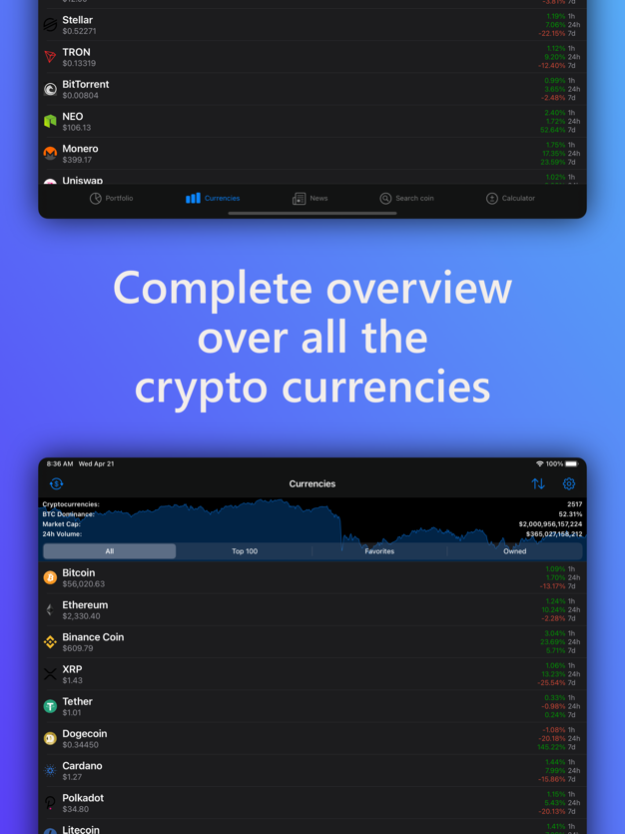

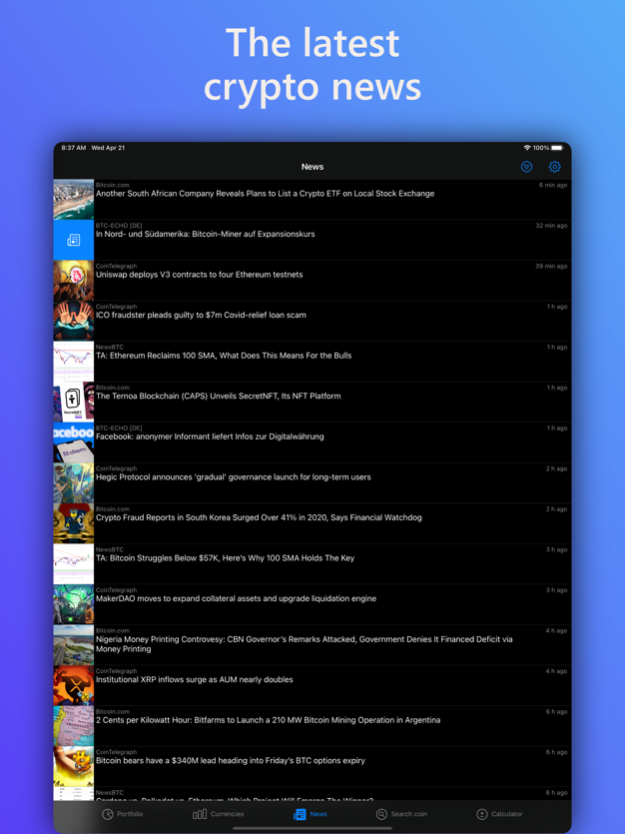




You are interested in the magic internet money or even own some yourself? Then this might be the perfect app for you!
• Keep track of all the most important cryptocurrencies
• Monitor your portfolio automatically by adding your exchange wallets, wallet addresses or manually entering your coin balances
• Display your wallet values and percentage changes in your preferred currency (incl. BTC)
• Supports Binance, Bitfinex, Bittrex, Coinbase, Coinbase Pro, HitBTC, Poloniex, Huobi, OKEx, Bitstamp, Coinone, CEX.IO, BitMEX, Bithumb, Gemini & Crypto.com & many more!
• Read the latest news about the space
• Daily notifications inform you about how your portfolio performs
• Supports all popular cryprocurrencies - Bitcoin, Ethereum, Ripple, Litecoin, Stellar, Dogecoin & many more!
• Live charts from TradingView
Feb 27, 2023
Version 2.4.44
• Bug fixes & improvements
About Coini: Crypto portfolio
The company that develops Coini: Crypto portfolio is Timo P. The latest version released by its developer is 2.4.44.
To install Coini: Crypto portfolio on your iOS device, just click the green Continue To App button above to start the installation process. The app is listed on our website since 2023-02-27 and was downloaded 2 times. We have already checked if the download link is safe, however for your own protection we recommend that you scan the downloaded app with your antivirus. Your antivirus may detect the Coini: Crypto portfolio as malware if the download link is broken.
How to install Coini: Crypto portfolio on your iOS device:
- Click on the Continue To App button on our website. This will redirect you to the App Store.
- Once the Coini: Crypto portfolio is shown in the iTunes listing of your iOS device, you can start its download and installation. Tap on the GET button to the right of the app to start downloading it.
- If you are not logged-in the iOS appstore app, you'll be prompted for your your Apple ID and/or password.
- After Coini: Crypto portfolio is downloaded, you'll see an INSTALL button to the right. Tap on it to start the actual installation of the iOS app.
- Once installation is finished you can tap on the OPEN button to start it. Its icon will also be added to your device home screen.
Program Details
System requirements
Download information
Pricing
Version History
version 2.4.44
posted on 2023-02-27
Feb 27, 2023
Version 2.4.44
• Bug fixes & improvements
version 2.4.6
posted on 2022-08-21
Aug 21, 2022 Version 2.4.6
Dependency updates & improvements
version 2.3.8
posted on 2022-03-04
Mar 4, 2022 Version 2.3.8
• General performance & stability improvements
version 2.3.6
posted on 2021-11-30
Nov 30, 2021 Version 2.3.6
• Built for iOS 15
• General performance & stability improvements
